- In the Workplace
What Is a One-Handed Keyboard? Benefits, Uses and Who They’re For
What Is a One-Handed Keyboard?
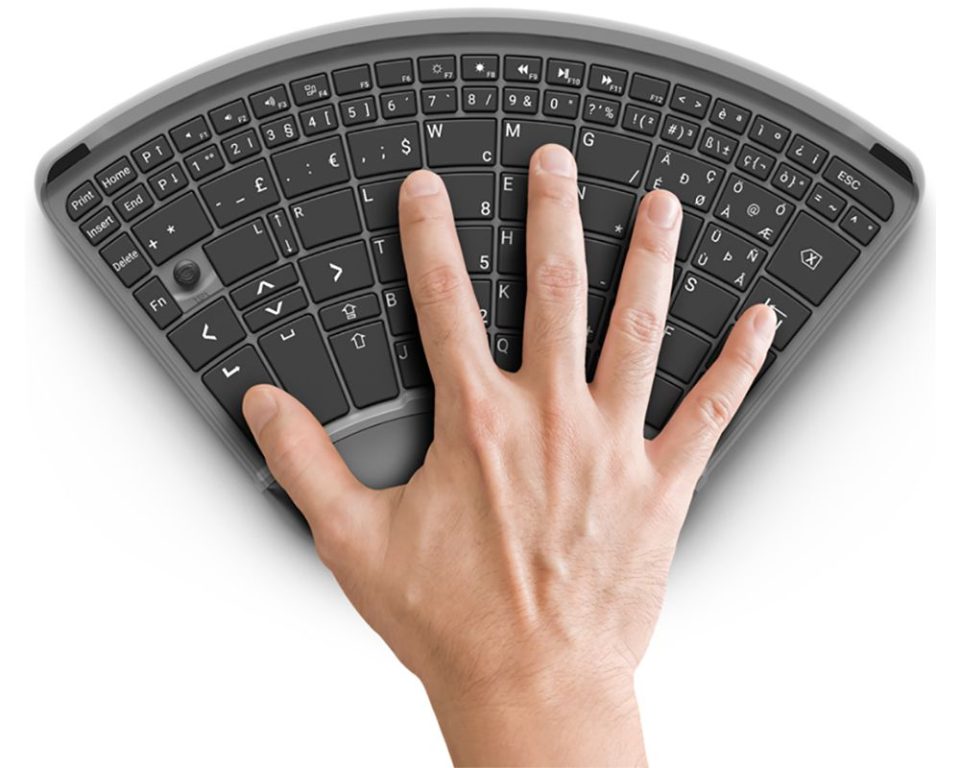
A one-handed keyboard is a compact input device designed to be used comfortably with a single hand. Unlike a traditional full-size keyboard, it focuses on placing the most commonly used keys within easy reach, reducing unnecessary movement and improving efficiency for specific tasks.
One-handed keyboards are commonly associated with gaming, but they also play an important role in accessibility, ergonomics, and space-saving workstation set-ups. For many users, they complement a mouse, trackball, or other assistive device rather than replacing a standard keyboard entirely.
Definition and Overview
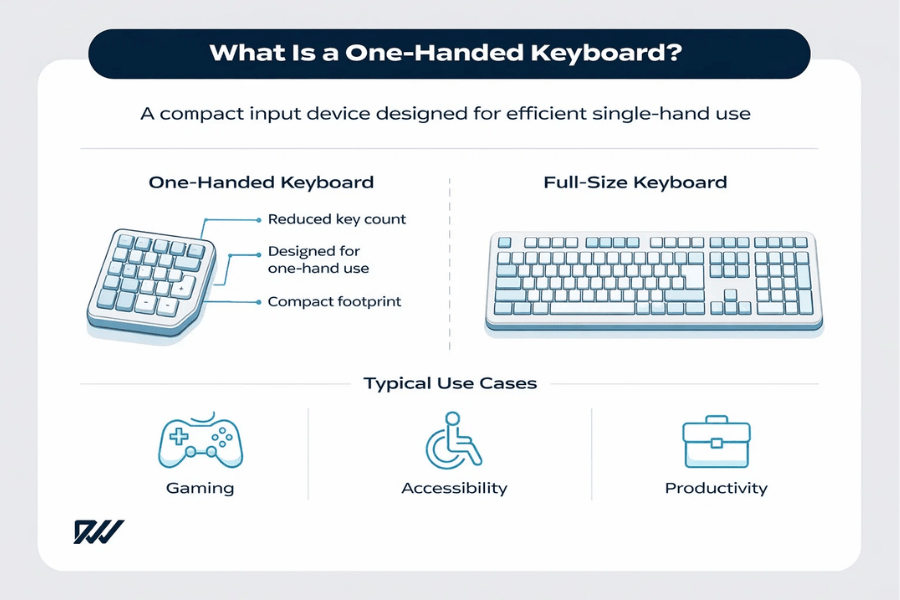
At its core, a one-handed keyboard is built to allow users to perform keyboard inputs using just one hand, without sacrificing control or responsiveness. The layout is intentionally condensed, grouping keys logically so that commands can be reached quickly and comfortably.
This design approach makes one-handed keyboards particularly well suited to situations where speed, precision, or physical comfort are a priority, such as gaming or adaptive computing.
Key characteristics of a one-handed keyboard include:
- A reduced number of keys compared to a full keyboard
- A compact layout shaped around natural hand positioning
- Frequently used keys positioned within easy reach
- Optional programmable or macro-enabled keys
Because of this focused design, one-handed keyboards are not intended to replicate the full typing experience. Instead, they aim to optimise specific interactions while reducing strain and unnecessary hand movement.
How a One-Handed Keyboard Works
A one-handed keyboard works by prioritising efficiency over completeness. Rather than offering every letter and symbol, it provides the keys most often used for a particular task and places them where the fingers naturally rest.
In many cases, these keyboards rely on software customisation to extend their functionality beyond their physical key count.
Typically, a one-handed keyboard works by:
- Mapping essential commands to a smaller number of keys
- Allowing users to assign macros or shortcuts
- Using modifier keys to access secondary functions
- Integrating with software to create custom profiles
This combination of hardware design and software control allows users to perform complex actions quickly, even with fewer physical keys available.
One-Handed vs Standard Keyboards
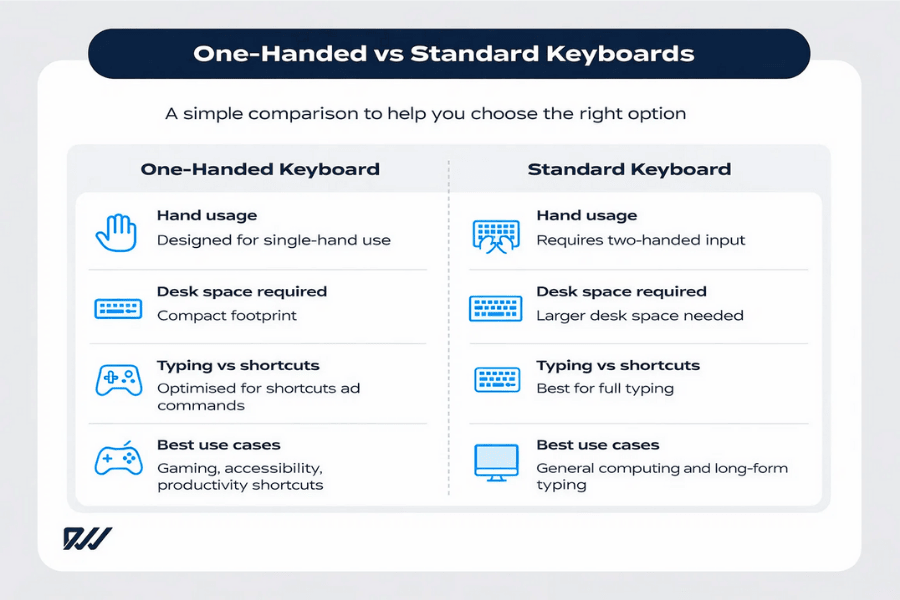
When compared to a standard keyboard, a one-handed keyboard is far more specialised. Traditional keyboards are designed for two-handed typing across a wide range of tasks, whereas one-handed keyboards focus on speed, comfort, and task-specific efficiency.
The difference becomes particularly noticeable in how each device is used during extended sessions.
Key differences between one-handed and standard keyboards include:
- One-handed keyboards prioritise accessibility and ergonomics
- Standard keyboards support full typing and general-purpose use
- One-handed keyboards take up significantly less desk space
- Standard keyboards require broader hand movement
As a result, one-handed keyboards are best viewed as a targeted solution rather than a universal replacement, excelling in scenarios where a focused, single-hand input method offers clear advantages.
Types of One-Handed Keyboards
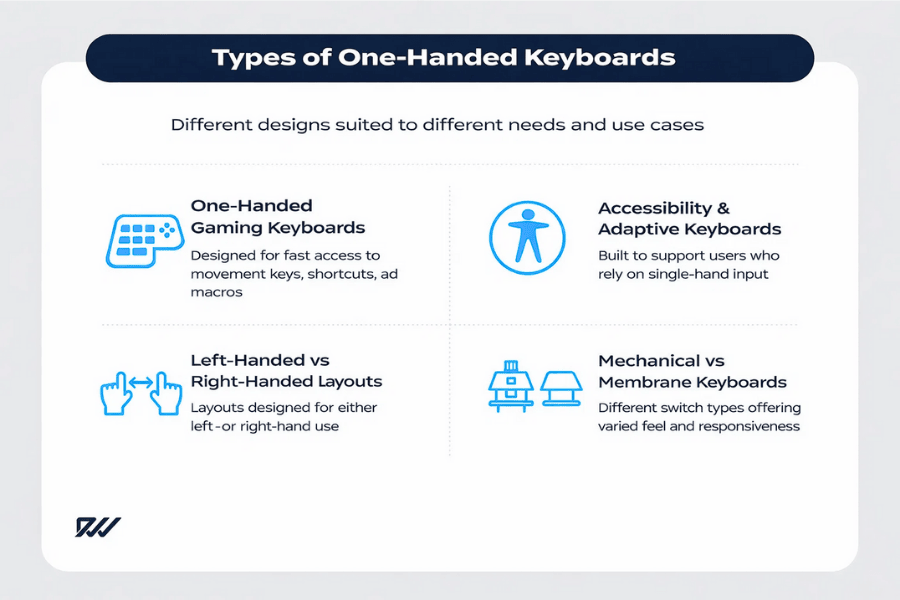
One-handed keyboards come in a variety of forms, each designed with a specific purpose in mind. While they all share a compact, single-hand-focused layout, their design, features, and intended use can vary significantly depending on the user’s needs.
Understanding the different types available can help you choose a keyboard that aligns with how you work, play, or interact with your computer on a daily basis.
One-Handed Gaming Keyboards
One-handed gaming keyboards are among the most popular and widely recognised types. They are designed to give gamers quick access to movement keys, abilities, and shortcuts, all while keeping the other hand free for a mouse or controller.
These keyboards are shaped to match natural hand positioning and often include extensive customisation options.
Common features of one-handed gaming keyboards include:
- Optimised key layouts for movement and action keys
- Mechanical or high-quality membrane switches
- Programmable keys and macro support
- RGB lighting and game-specific profiles
Because of their focused design, gaming keypads are particularly effective for fast-paced genres such as FPS, MMO, and MOBA games.
Accessibility and Adaptive One-Handed Keyboards
Accessibility-focused one-handed keyboards are designed to support users who may only be able to use one hand due to injury, disability, or long-term health conditions. These keyboards prioritise comfort, reliability, and compatibility with assistive technologies.
Rather than focusing on speed alone, adaptive keyboards aim to make everyday computing tasks more accessible and manageable.
Typical characteristics include:
- Layouts optimised for single-hand typing
- Support for alternative input methods
- Compatibility with accessibility software
- Simple, clearly labelled key designs
For many users, these keyboards provide a practical and empowering way to maintain independence when using a computer.
Left-Handed vs Right-Handed One-Handed Keyboards
One-handed keyboards are usually designed for either left-hand or right-hand use, and choosing the correct orientation is essential for comfort and efficiency. The layout determines which hand operates the keyboard and which hand remains free for a mouse or other device.
This distinction is especially important for gaming and productivity tasks where coordination matters.
Key differences between left- and right-handed models include:
- Mirrored key layouts for different hand dominance
- Mouse placement on the opposite side of the keyboard
- Variations in thumb key positioning
- Differences in available product options
Selecting the correct orientation ensures a more natural experience and reduces unnecessary strain during extended use.
Mechanical vs Membrane One-Handed Keyboards
As with full-size keyboards, one-handed keyboards are available with either mechanical or membrane switches. The choice between the two largely depends on personal preference, budget, and how the keyboard will be used.
Each switch type offers a different feel and response.
Key distinctions include:
- Mechanical switches offer tactile feedback and durability
- Membrane switches are quieter and often more affordable
- Mechanical keyboards allow for switch customisation
- Membrane keyboards tend to be lighter and simpler
Both options can perform well, but the right choice depends on whether responsiveness, noise level, or cost is the top priority.
Who Are One-Handed Keyboards Designed For?
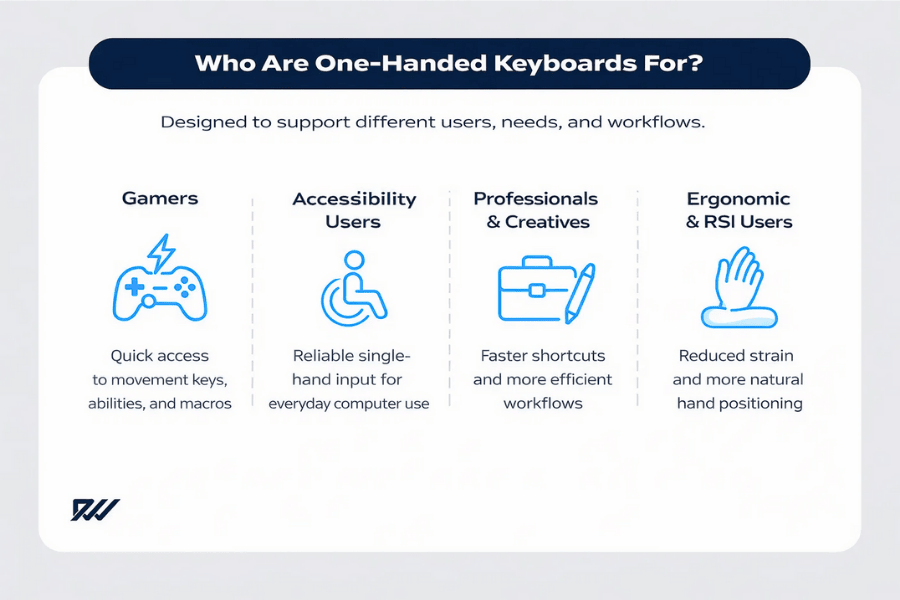
One-handed keyboards are designed for a wide range of users, not just a single niche. While they are often marketed towards gamers, their practical benefits extend far beyond gaming into accessibility, professional work, and ergonomic use.
Understanding who these keyboards are best suited for helps clarify why they have become increasingly popular across different industries and user groups.
Gamers and Esports Players
Gamers are one of the largest user groups for one-handed keyboards. These devices allow players to keep essential controls within easy reach while dedicating the other hand to precise mouse movements.
This set-up can improve reaction times and reduce unnecessary hand movement during long gaming sessions.
Gamers often benefit from features such as:
- Compact layouts focused on movement and action keys
- Programmable buttons for abilities and macros
- Ergonomic designs that reduce hand fatigue
- Custom profiles for different games
For competitive and fast-paced games, a one-handed keyboard can provide a more controlled and comfortable experience.
Users With Disabilities or Limited Mobility
One-handed keyboards play an important role in accessibility by supporting users who may only be able to use one hand. This can include individuals with limb differences, neurological conditions, or temporary injuries.
By reducing reach and simplifying key layouts, these keyboards make everyday computing more manageable.
They are particularly helpful for users who need:
- Single-hand access to essential typing functions
- Reduced physical strain during computer use
- Compatibility with assistive and accessibility software
- A reliable alternative to on-screen keyboards
For many users, a one-handed keyboard can significantly improve independence and confidence when using a computer.
Professionals and Productivity Users
Beyond gaming and accessibility, one-handed keyboards are increasingly used by professionals who value efficiency and desk space. They are especially popular among designers, editors, and technical users who rely heavily on shortcuts.
When paired with a mouse or stylus, a one-handed keyboard can streamline repetitive workflows.
Productivity-focused benefits include:
- Faster access to shortcuts and commands
- Reduced desk clutter and home office set-ups
- Improved posture and hand positioning
- Customisable macros for specific software
For task-focused work, these keyboards can act as a powerful secondary input device, offering quick access to shortcuts and commands without the need to switch constantly between tools.
When used alongside a mouse, stylus, or full-size keyboard, they can streamline repetitive actions and help create a more efficient and comfortable workflow.
People With RSI or Repetitive Strain Injuries
One-handed keyboards can also appeal to users experiencing discomfort or strain from traditional keyboards. By limiting hand movement and allowing for more natural positioning, they may help reduce pressure on the wrists and fingers.
While they are not a medical solution, they can form part of a more ergonomic workstation.
They may be useful for people looking to:
- Reduce repetitive hand movements
- Alternate between hands during work
- Maintain a more relaxed wrist position
- Minimise fatigue during long sessions
When combined with good posture and regular breaks, a one-handed keyboard can support more comfortable computer use.
Benefits of Using a One-Handed Keyboard
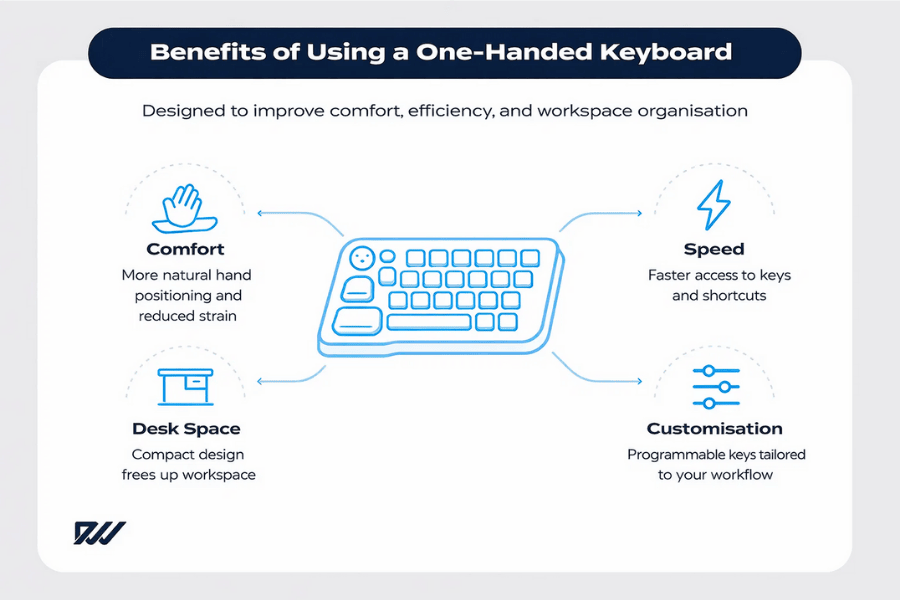
One-handed keyboards offer several practical benefits that make them appealing across gaming, accessibility, and professional environments. Their compact and focused design allows users to interact with their computer more efficiently while reducing unnecessary movement.
While they are not suitable for every task, the advantages they offer can make a noticeable difference for the right user.
Improved Comfort and Ergonomics
One of the main benefits of a one-handed keyboard is improved comfort. By concentrating keys within a smaller area, these keyboards allow the hand to rest in a more natural position, reducing overextension and awkward finger movement.
This ergonomic focus can be especially helpful during long sessions.
Comfort-related advantages include:
- Reduced wrist and finger strain
- More natural hand positioning
- Less reaching across the keyboard
- Improved comfort during extended use
Over time, this can contribute to a more relaxed and sustainable way of working or playing, helping users maintain comfort and consistency during longer sessions without unnecessary strain or fatigue.
Faster Access to Keys and Shortcuts
One-handed keyboards are designed to keep frequently used keys within easy reach. This makes it quicker to access commands, shortcuts, and actions without repositioning the hand.
For users who rely on speed and precision, this can improve overall efficiency.
Efficiency-focused benefits include:
- Quicker access to commonly used keys
- Reduced hand movement between actions
- Improved reaction times in fast-paced tasks
- Easier execution of complex shortcuts
This is particularly noticeable in gaming and shortcut-heavy professional software, where quick reactions and efficient command execution can have a direct impact on performance and productivity.
Reduced Desk Space and Cleaner Set-ups
Thanks to their compact size, one-handed keyboards take up far less desk space than traditional keyboards. This makes them ideal for smaller desks, minimalist set-ups, or mobile workstations.
A cleaner workspace can also improve comfort and focus.
Space-saving benefits include:
- More room for mouse or other devices
- Improved desk organisation
- Easier portability and storage
- Better use of limited workspace
For users with restricted desk space, this can be a significant advantage, allowing for a more organised workspace without compromising functionality or comfort.
Customisation and Programmable Keys
Many one-handed keyboards offer a high level of customisation, allowing users to tailor key functions to their specific needs. Programmable keys and macros can significantly extend what a compact keyboard is capable of.
This flexibility is a key reason for their popularity.
Customisation benefits include:
- Programmable keys for shortcuts and macros
- Multiple profiles for different tasks or games
- Software integration for advanced control
- Personalised layouts based on preference
With the right configuration, a one-handed keyboard can become a powerful and highly efficient input tool.
Drawbacks and Limitations of One-Handed Keyboards
While one-handed keyboards offer clear advantages, they are not without limitations. Their specialised design means they excel in certain scenarios but may fall short in others, particularly when versatility and full typing functionality are required.
Understanding these drawbacks is essential for setting realistic expectations and deciding whether a one-handed keyboard is the right fit for your needs.
Learning Curve for New Users
One of the most common challenges with a one-handed keyboard is the learning curve. The condensed layout and non-standard key positioning can feel unfamiliar, especially for users accustomed to traditional keyboards.
This adjustment period varies depending on prior experience and how frequently the keyboard is used.
Common learning challenges include:
- Adapting to a reduced key layout
- Memorising custom key mappings or macros
- Slower input speeds during the early stages
- Adjusting muscle memory built on standard keyboards
With regular use, most users become more comfortable over time, but patience and practice are required to build familiarity and develop new muscle memory.
Limited Use for Typing-Heavy Tasks
One-handed keyboards are generally not designed for long-form typing. While they can handle basic text input, they are far less efficient than a full-size keyboard when writing documents, emails, or code.
This limitation makes them less suitable as a sole input device for text-heavy work.
Typing-related limitations include:
- Slower typing speeds compared to standard keyboards
- Reliance on modifier keys for letters and symbols
- Increased cognitive load during extended typing
- Reduced comfort for long writing sessions
For this reason, many users treat a one-handed keyboard as a secondary device rather than a complete replacement.
Not a Full Replacement for Everyone
Although some users may be able to rely on a one-handed keyboard for most tasks, it is not a universal solution. The effectiveness of these keyboards depends heavily on the user’s needs, workflow, and physical requirements.
In many cases, they work best as part of a broader input set-up.
Situations where a standard keyboard may still be needed include:
- Tasks involving extensive typing or data entry
- Shared workstations used by multiple people
- Software requiring frequent full-keyboard input
- Users who prefer traditional layouts
Recognising these limitations helps ensure a more satisfying and practical experience when incorporating a one-handed keyboard into your set-up.
Are One-Handed Keyboards Good for Accessibility?
One-handed keyboards play a valuable role in improving digital accessibility for many users. By reducing physical demands and simplifying input, they can make computers easier to use for people who may find traditional keyboards challenging or uncomfortable.
While they are not a one-size-fits-all solution, they can form an important part of an inclusive and adaptable computing environment.
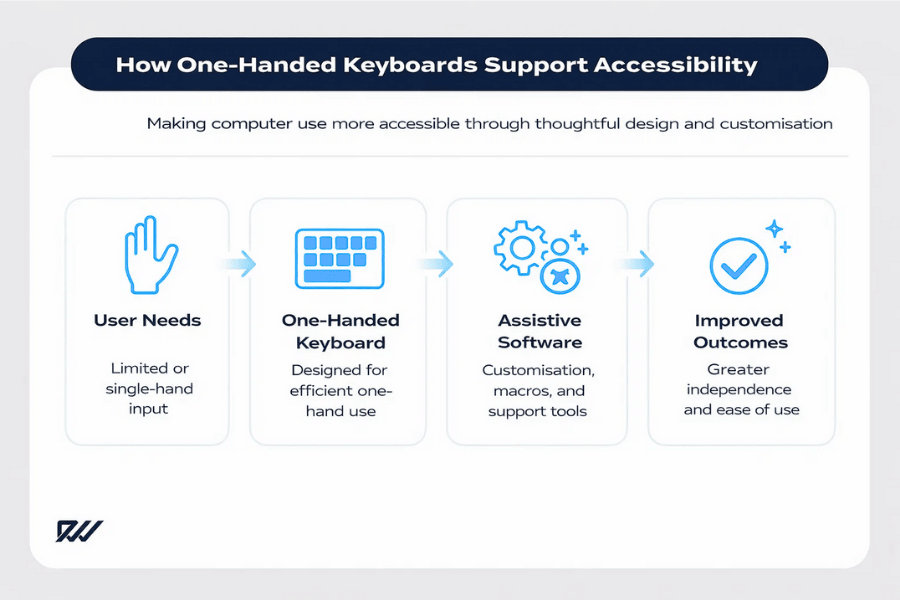
Supporting Users With One-Hand Functionality
For individuals who can only use one hand, a traditional keyboard can be difficult or impractical. One-handed keyboards are specifically designed to address this challenge by placing essential keys within reach of a single hand.
This design can significantly improve ease of use and independence.
Key accessibility benefits include:
- Full control using only one hand
- Reduced need for stretching or repositioning
- More consistent and predictable key access
- Improved comfort during extended use
For many users, this enables more confident and efficient interaction with digital tools, supporting greater independence and ease of use in everyday computing tasks.
Compatibility With Assistive Software
Many one-handed keyboards work well alongside assistive technologies, allowing users to customise their set-up to meet specific needs. This compatibility makes them a flexible option for a wide range of accessibility requirements.
Software integration often plays a key role in their effectiveness.
Common compatibility features include:
- Support for screen readers and accessibility tools
- Customisable key mappings and macros
- Integration with voice control or alternative input devices
- Adjustable sensitivity and response settings
When combined with the right software, a one-handed keyboard can become part of a highly personalised and accessible workflow.
One-Handed Keyboards vs On-Screen Keyboards
On-screen keyboards are a common accessibility solution, but they often require precise mouse control and can be slower to use. One-handed keyboards offer a physical alternative that many users find faster and more comfortable.
The choice between the two depends on individual preferences and physical abilities.
Key differences include:
- Physical keys provide tactile feedback
- Faster input compared to mouse-driven typing
- Reduced visual focus on the screen
- More natural hand positioning
For users who prefer physical interaction, a one-handed keyboard can be a more efficient and less fatiguing option than an on-screen keyboard.
One-Handed Keyboards for Gaming
One-handed keyboards are particularly popular in gaming due to their speed, precision, and ergonomic advantages. By focusing on essential controls and eliminating unnecessary keys, they allow gamers to react more quickly and maintain better control during intense gameplay.
For many players, these keyboards enhance both performance and comfort during long gaming sessions.
Why Gamers Use One-Handed Keyboards
Gamers often choose one-handed keyboards to reduce hand movement and keep key actions within immediate reach. This design helps minimise delays between inputs, which can be crucial in competitive games.
The ability to customise layouts also plays a significant role.
Key reasons gamers use one-handed keyboards include:
- Faster access to movement and action keys
- Reduced hand travel and improved reaction time
- Customisable macros for complex commands
- More comfortable hand positioning during long sessions
These advantages make one-handed keyboards a practical choice for both casual and competitive gamers.
FPS, MMO and MOBA Use Cases
Different game genres benefit from one-handed keyboards in different ways. Fast-paced shooters, strategy-heavy MOBAs, and ability-driven MMOs all rely on quick and accurate inputs.
One-handed keyboards allow players to tailor controls to each genre.
Common use cases include:
- FPS games requiring quick movement and aiming
- MMO games with multiple abilities and hotkeys
- MOBA games focused on precision and timing
- Games that benefit from programmable shortcuts
By adapting key layouts to each game type, players can maintain consistency and control across different genres.
One-Handed Keyboard vs WASD Set-ups
Traditional gaming keyboards rely heavily on the WASD key cluster for movement. One-handed keyboards build on this concept by refining and expanding access to nearby keys, often adding thumb buttons and angled layouts.
This results in a more focused and ergonomic control scheme.
Key differences include:
- More keys within easy reach of the fingers
- Reduced need to stretch beyond the WASD area
- Dedicated thumb buttons for additional actions
- Improved comfort during extended play
For gamers who rely heavily on keyboard input, a one-handed keyboard can offer a more efficient alternative to a standard WASD-based set-up.
How to Choose the Right One-Handed Keyboard
Choosing the right one-handed keyboard depends on how you plan to use it. Factors such as comfort, compatibility, and customisation all play an important role in determining which model will suit your needs best.
Taking the time to consider these elements can help ensure a more comfortable and effective experience.
Hand Orientation and Layout
One of the first decisions to make is whether you need a left-handed or right-handed one-handed keyboard. This determines which hand operates the keyboard and which hand remains free for a mouse or other input device.
The layout should feel natural and support relaxed hand positioning.
Key considerations include:
- Whether you are left- or right-hand dominant
- The positioning of thumb keys and modifiers
- Key spacing and overall shape
- Comfort during extended use
Choosing the correct orientation can significantly reduce strain and improve ease of use, helping the keyboard feel more natural and comfortable during extended periods of use.
Key Switch Types and Build Quality
The type of key switches used can have a major impact on how the keyboard feels and performs. Build quality also affects durability, responsiveness, and long-term comfort.
Different users prioritise different characteristics.
Important factors to consider include:
- Mechanical switches for tactile feedback and longevity
- Membrane switches for quieter operation
- Sturdy construction for regular use
- Key stability and consistency
A well-built keyboard can improve both performance and overall satisfaction, providing a more reliable, consistent, and enjoyable experience over time.
Software, Macros and Custom Profiles
Software support is a key feature of many one-handed keyboards. Customisation options allow users to assign macros, remap keys, and create profiles for different tasks or games.
This flexibility can greatly enhance efficiency.
Useful software features include:
- Easy-to-use key remapping tools
- Macro recording and editing
- Multiple profiles for different applications
- Automatic profile switching
Good software can turn a simple keyboard into a powerful, task-specific tool, allowing users to tailor functionality to their workflow and work more efficiently with fewer inputs.
Budget vs Premium Options
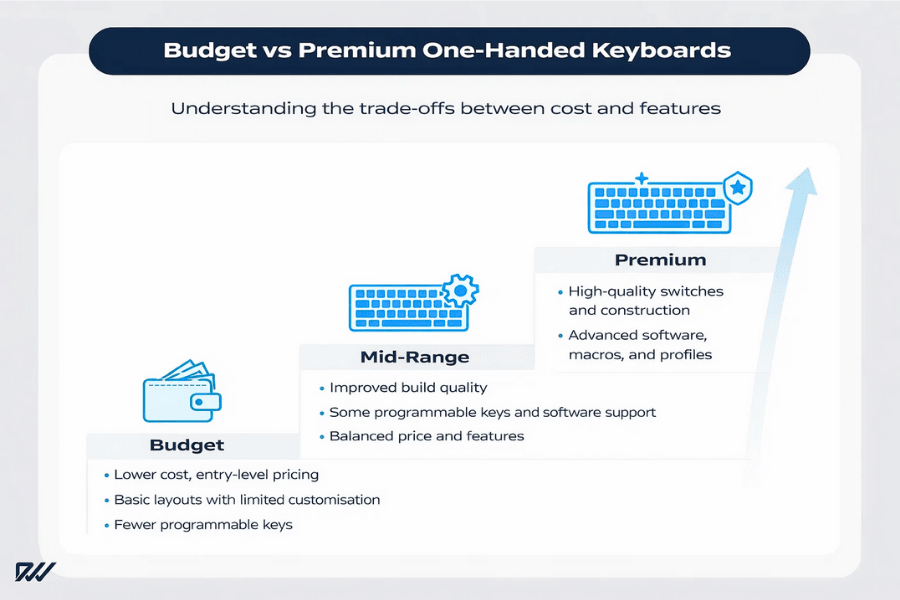
One-handed keyboards are available at a wide range of price points. Budget models often focus on basic functionality, while premium options tend to offer better materials, advanced software, and additional features.
Understanding what you need helps avoid unnecessary spending.
Budget considerations include:
- Basic layouts with limited customisation
- Fewer programmable keys
- Simpler build materials
- Lower overall cost
Premium options may offer:
- Higher-quality switches and construction
- Advanced customisation and software
- Additional keys or thumb controls
- Greater long-term durability
Budget vs Premium One-Handed Keyboards: Comparison Table
| Feature | Budget One-Handed Keyboards | Premium One-Handed Keyboards |
| Price range | Lower cost, entry-level pricing | Higher upfront cost |
| Key layout | Basic layouts with limited flexibility | More refined, ergonomic layouts |
| Programmable keys | Few or none | Multiple fully programmable keys |
| Customisation software | Basic or limited functionality | Advanced software with profiles and macros |
| Key switches | Membrane or entry-level switches | High-quality mechanical switches |
| Build materials | Plastic construction | Premium materials and solid construction |
| Durability | Suitable for light to moderate use | Designed for long-term, intensive use |
| Best for | Casual users or tight budgets | Enthusiasts, gamers, and professionals |
Balancing cost with features ensures you choose a keyboard that meets your needs without overspending, helping you invest in the functionality that genuinely adds value to your set-up.
Can a One-Handed Keyboard Replace a Standard Keyboard?
Whether a one-handed keyboard can replace a standard keyboard depends largely on how it is used. For some users and tasks, it may be sufficient on its own, while for others it works best as part of a broader input set-up.
Understanding its strengths and limitations helps determine when it can realistically take on a primary role.
When a One-Handed Keyboard Is Enough
In certain situations, a one-handed keyboard can handle most or all required input. This is particularly true when tasks rely more on shortcuts, commands, or repetitive actions rather than continuous typing.
For these users, efficiency often matters more than full key access.
A one-handed keyboard may be sufficient for:
- Gaming and competitive play
- Shortcut-driven professional software
- Accessibility-focused computing
- Compact or minimalist desk set-ups
In these scenarios, a one-handed keyboard can deliver a streamlined and effective experience, allowing users to focus on their tasks with fewer distractions and more intuitive control.
When You’ll Still Need a Full Keyboard
For typing-heavy tasks, a standard keyboard remains the more practical choice. Writing long documents, coding extensively, or entering large amounts of data is generally faster and more comfortable on a full keyboard.
This limitation is one of the most important factors to consider.
You may still need a standard keyboard for:
- Long-form writing and document creation
- Programming or data entry tasks
- Shared or multi-user workstations
- Situations requiring full key access
In these cases, a one-handed keyboard works best as a secondary device, complementing a full-size keyboard rather than attempting to replace it entirely.
Using a One-Handed Keyboard Alongside Other Input Devices
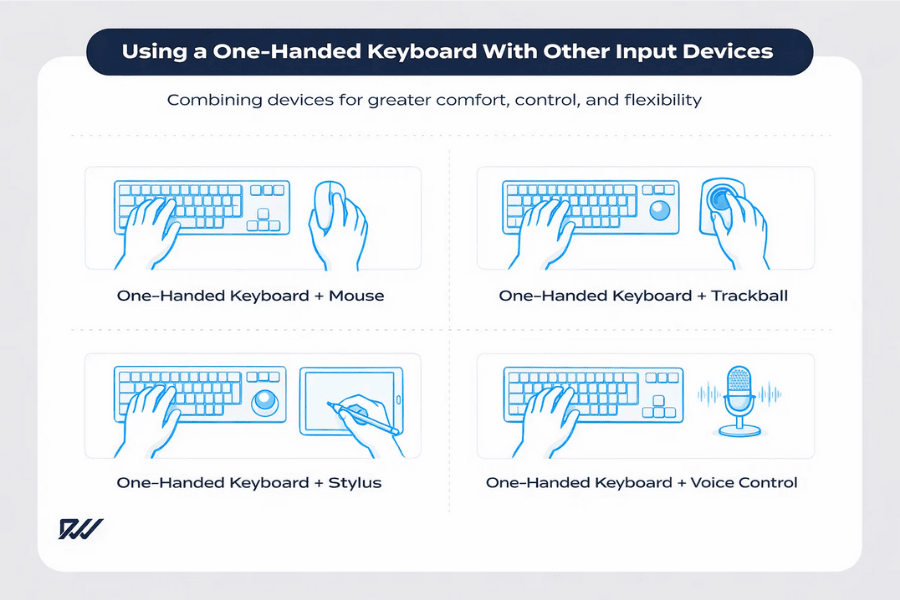
Many users combine a one-handed keyboard with other input tools to create a more flexible and adaptable set-up. This approach allows each device to handle what it does best, rather than relying on a single input method for every task.
By pairing complementary devices, users can tailor their workspace to suit their specific needs and working style, which can improve both comfort and efficiency.
Common combinations include:
- One-handed keyboard and mouse
- One-handed keyboard and trackball
- One-handed keyboard and stylus
- One-handed keyboard and voice input
This hybrid approach offers greater versatility while retaining the benefits of a compact keyboard, making it easier to switch between tasks without sacrificing control or comfort.
Frequently Asked Questions About One-Handed Keyboards
One-handed keyboards often raise practical questions, especially for first-time users. Addressing these common queries helps clarify what they can and cannot do.
Can you type normally on a one-handed keyboard?
Typing is possible, but it is generally slower and less comfortable than on a standard keyboard. One-handed keyboards are better suited to shortcuts, commands, and focused tasks rather than long typing sessions.
Are one-handed keyboards good for work?
They can be very effective for certain types of work, particularly roles that rely on shortcuts, creative tools, or repetitive actions. For writing-heavy roles, they are best used alongside a full keyboard.
Are one-handed keyboards only for gaming?
No. While gaming is a major use case, one-handed keyboards are also widely used for accessibility, professional workflows, and ergonomic set-ups.
Do one-handed keyboards work on Mac and Windows?
Most one-handed keyboards are compatible with both operating systems, although software features may vary. It is always worth checking system compatibility before buying.
Final Thoughts: Who Should Use a One-Handed Keyboard?
One-handed keyboards are a specialised but highly effective input device for the right user. They excel in situations where speed, comfort, accessibility, or space-saving design is a priority, and they can significantly improve efficiency when used correctly.
While they are not a universal replacement for a standard keyboard, they work exceptionally well as a focused tool or secondary device. For gamers, accessibility users, and professionals who rely on shortcuts, a one-handed keyboard can be a valuable addition to a modern workstation.