- Home Working
- In the Workplace
- Article
What Is a Desk Converter?
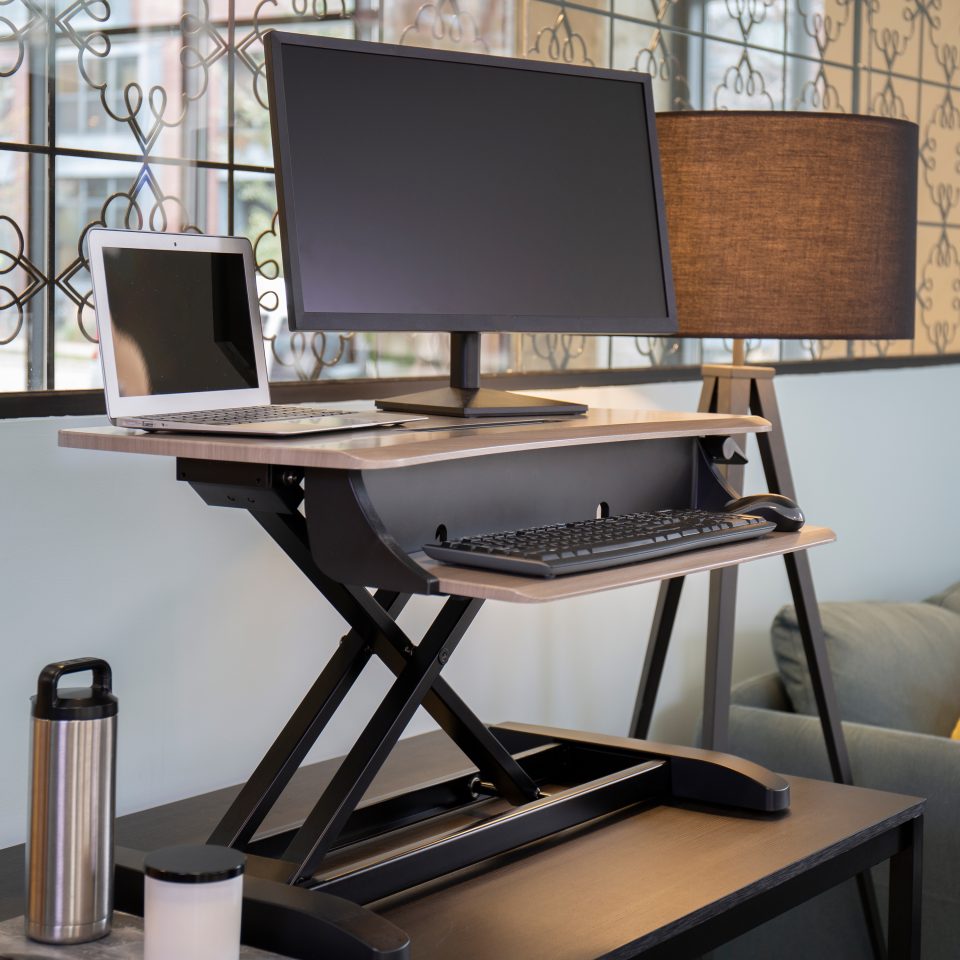
What Is a Desk Converter?
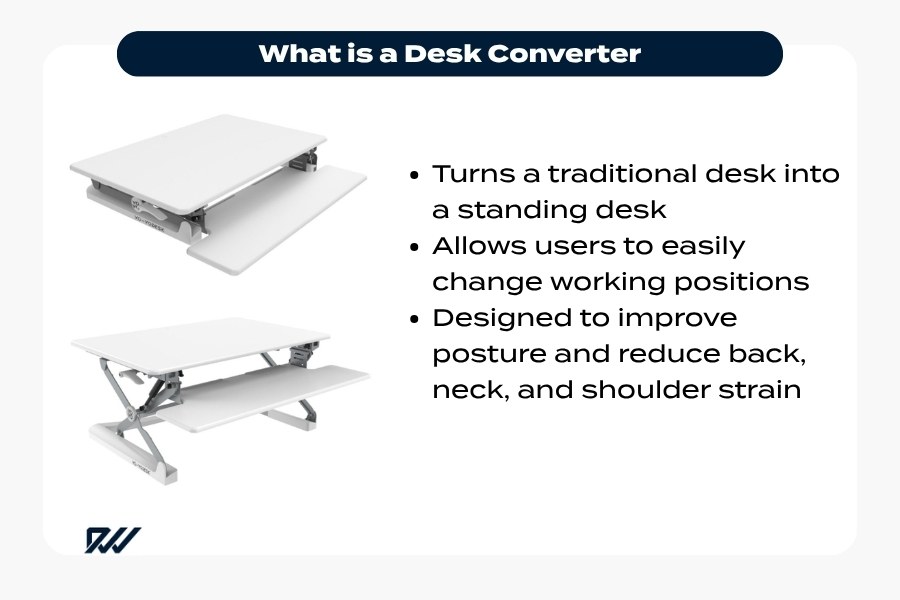
A desk converter, often referred to as a sit-stand desk converter, is an adjustable workstation that sits on top of your existing desk and allows you to switch between sitting and standing positions. Rather than replacing your current desk entirely, it “converts” it into a height-adjustable workspace.
Desk converters are designed to hold your essential work equipment, such as a monitor, keyboard, mouse, and sometimes additional accessories. With a simple adjustment, you can raise the surface to a comfortable standing height or lower it back down for seated work.
They are particularly popular in offices and home workspaces where flexibility, affordability, and ease of installation are important. Unlike full standing desks, they require minimal setup and can be used straight out of the box.
How Does a Desk Converter Work?

Desk converters operate using a lifting mechanism that allows the work surface to move vertically. Depending on the model, this mechanism may be manual or powered, but the goal is the same: smooth and stable height adjustment.
In most cases, the converter sits directly on your desk and features a platform or tiered structure. The top level typically holds your monitor, while a lower level supports your keyboard and mouse. When you adjust the height, both levels move together to maintain an ergonomic working position.
The adjustment process usually involves:
- Manual models: A lever or handle releases the mechanism, allowing you to raise or lower the unit with light pressure
- Electric models: A motor lifts the converter at the press of a button
Well-designed desk converters ensure stability at all heights and allow for quick transitions, making it easy to alternate between sitting and standing throughout the day.
Types of Desk Converters Available
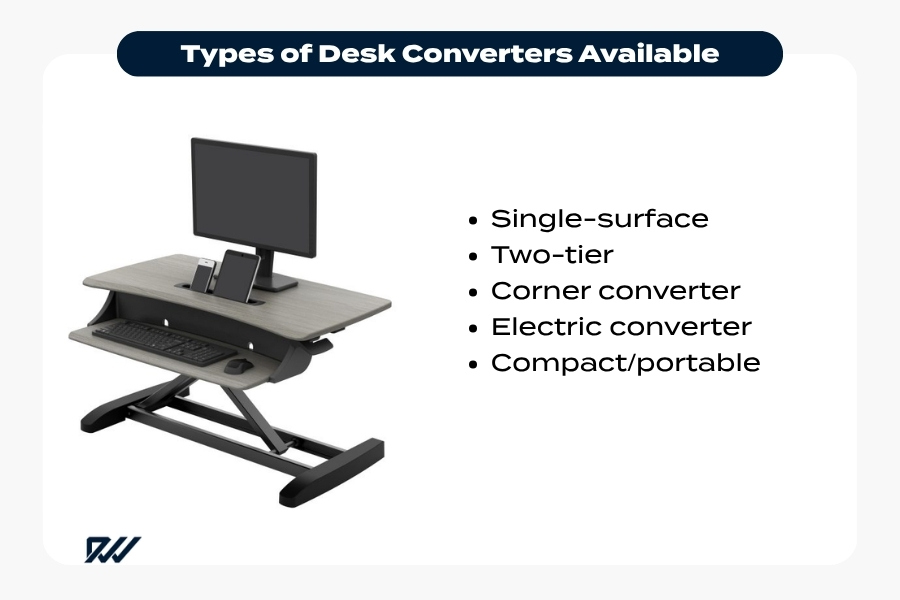
Although all desk converters serve the same core purpose, there are several types available to suit different needs and work environments.
- Single-surface converters feature one large platform that holds both your monitor and keyboard. These are simple and compact, making them ideal for smaller desks or minimal setups.
- Two-tier converters are more common and ergonomic. They include a separate upper level for your screen and a lower level for your keyboard and mouse, helping maintain proper posture while working.
- Corner desk converters are designed to fit into L-shaped or corner desks. They maximise space efficiency while still offering full sit-stand functionality.
- Electric desk converters provide motorised height adjustment. They are typically more expensive but offer effortless operation and precise control.
- Compact or portable converters are lightweight and easy to move, making them suitable for shared workspaces or flexible working environments.
Benefits of Using a Desk Converter
Desk converters have become increasingly popular due to the wide range of benefits they offer for both health and productivity.
One of the primary advantages is improved posture. By allowing you to alternate between sitting and standing, a desk converter can help reduce the strain associated with long periods of sitting, particularly on the lower back and shoulders.
They also promote greater movement throughout the day. Standing intermittently encourages better circulation and can help reduce fatigue, especially during long working hours.
From a practical perspective, desk converters are a cost-effective alternative to full standing desks. They provide similar functionality without requiring you to replace your existing furniture, making them a convenient option for both home and office use.
Additional benefits include:
- Ease of setup: No complex installation required
- Space efficiency: Designed to fit on most standard desks
- Flexibility: Suitable for a wide range of working styles and environments
Overall, a desk converter offers a simple yet effective way to create a more dynamic and ergonomic workspace.
Who Should Use a Desk Converter?
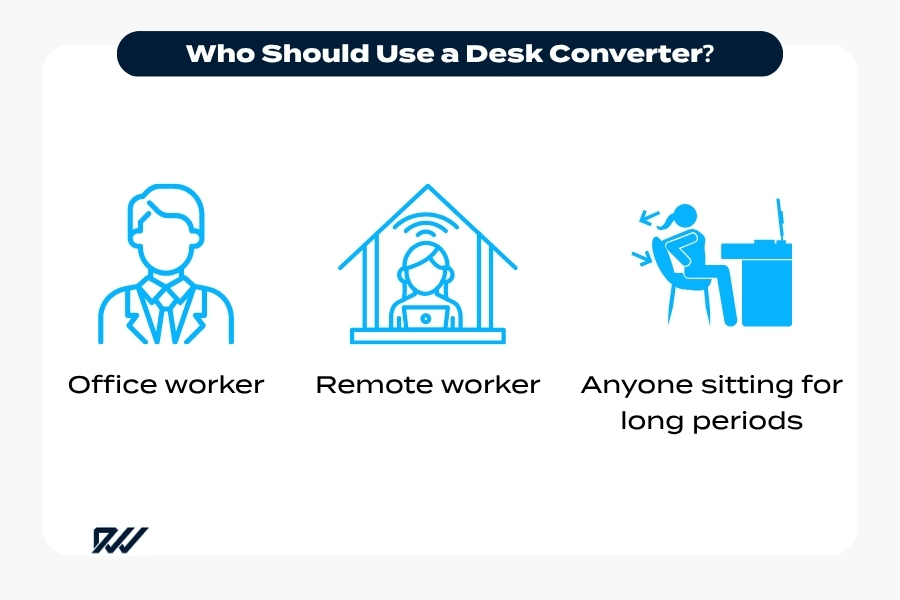
Desk converters are suitable for a wide range of people, particularly those who spend long periods working at a desk. Whether in a traditional office or a home workspace, anyone looking to introduce more movement into their day can benefit from using one.
They are especially useful for office workers who want to reduce the amount of time spent sitting. Alternating between sitting and standing can help break up sedentary routines without requiring a complete change of workspace.
Remote workers and freelancers often find desk converters appealing due to their flexibility and ease of use. They can be set up quickly and adjusted throughout the day to suit different tasks and preferences.
Desk converters may also be beneficial for individuals experiencing mild discomfort from prolonged sitting, such as back or neck strain. By enabling better positioning and variation in posture, they can support a more comfortable working environment.
In shared or hot-desking environments, a desk converter provides a practical solution for personal ergonomic adjustment without permanently altering the workspace.
Key Features to Look for in a Desk Converter
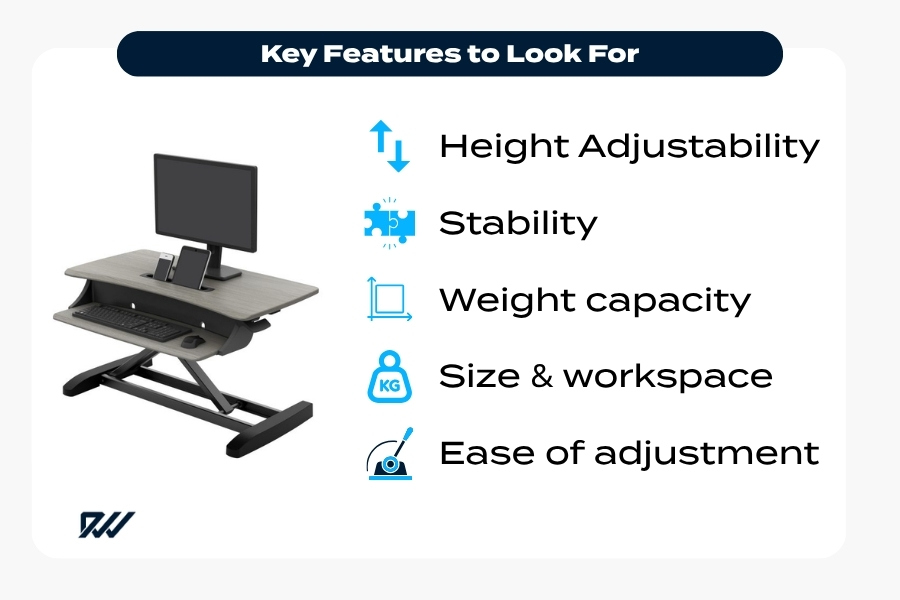
One of the most important considerations is height adjustability. A good desk converter should offer a wide range of height settings to accommodate both sitting and standing positions comfortably.
Stability is equally important. The unit should remain steady at all heights, especially when typing or using multiple monitors. A solid frame and smooth lifting mechanism contribute to a more reliable experience.
The size and surface area of the converter should match your workspace and equipment. If you use dual monitors or additional accessories, you will need a larger platform to accommodate them safely.
Other important features include:
- Weight capacity: Ensures the converter can support your equipment without strain
- Ease of adjustment: Smooth and quick transitions between positions
- Keyboard tray design: Particularly important for maintaining proper ergonomics
- Build quality: Durable materials that withstand daily use
Paying attention to these features can help you select a desk converter that fits both your workspace and your working habits.
Are Desk Converters Good for Posture?

Desk converters can be beneficial for posture when used correctly, but they are not a complete solution on their own. Their main advantage lies in encouraging movement and allowing you to change positions throughout the day.
Prolonged sitting is often associated with poor posture, particularly slouching and forward head positioning. By giving you the option to stand, a desk converter helps reduce the amount of time spent in these positions and promotes a more neutral spine alignment.
However, simply standing does not automatically improve posture. It is important to set up the desk converter properly, ensuring that your screen is at eye level, your keyboard is positioned comfortably, and your shoulders remain relaxed.
When used as part of a balanced routine, alternating between sitting and standing, desk converters can support better posture and reduce discomfort over time. The key is consistency and correct setup rather than relying solely on the equipment itself.
Common Mistakes When Using a Desk Converter
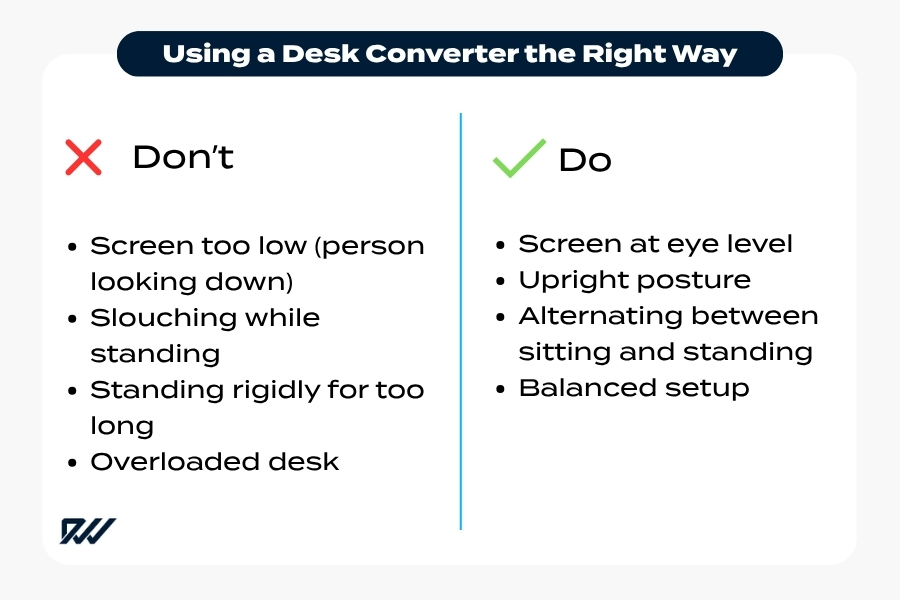
While desk converters are straightforward to use, there are several common mistakes that can reduce their effectiveness or lead to discomfort over time.
One of the most frequent issues is incorrect monitor height. If the screen is too low or too high, it can cause neck strain and poor posture. Ideally, the top of the screen should be at or just below eye level when standing.
Another common mistake is standing for too long without breaks. Although standing is beneficial, remaining in one position for extended periods can lead to fatigue and discomfort. The key is to alternate regularly between sitting and standing rather than replacing one with the other entirely.
Users also often overlook keyboard and mouse positioning. If these are placed too high, it can cause shoulder tension and wrist strain. Keeping your arms at a comfortable angle with relaxed shoulders is essential for maintaining good ergonomics.
Additional mistakes include:
- Poor posture while standing: Slouching or leaning can negate the benefits
- Not adjusting the desk properly: Using fixed positions instead of tailoring the height to your body
- Overloading the converter: Placing too much weight on the unit can affect performance and safety
Avoiding these issues can help ensure that your desk converter supports both comfort and productivity effectively.
Desk Converter Weight Limits and Stability
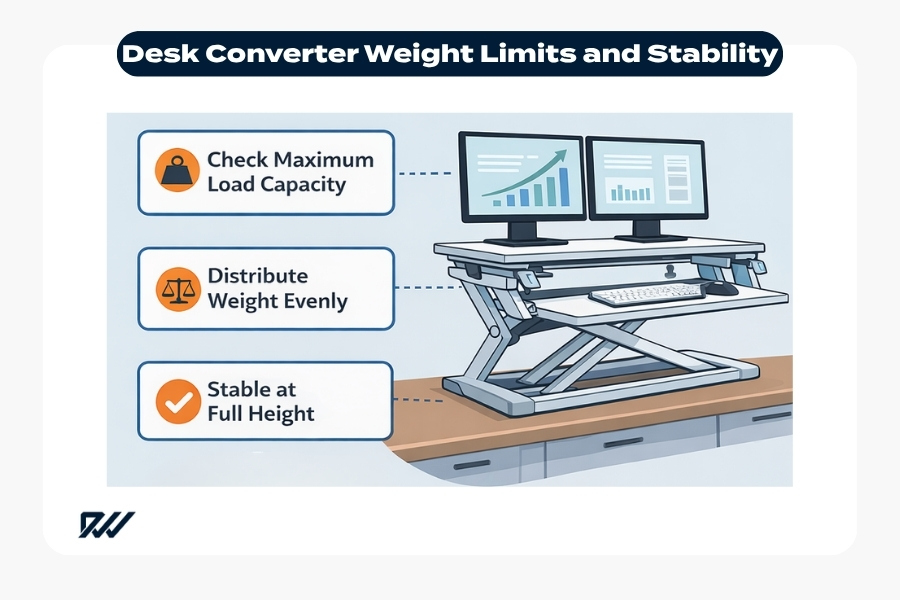
Weight limits and stability are crucial factors when choosing and using a desk converter. Every model is designed to support a specific maximum load, and exceeding this limit can compromise both safety and performance.
Most desk converters are built to handle typical office equipment, including monitors, laptops, keyboards, and accessories. However, if you use heavier setups such as dual monitors or additional equipment, it is important to check the manufacturer’s specified weight capacity.
Stability is closely linked to weight distribution. Even if the total load is within the recommended limit, uneven placement can cause wobbling, particularly at higher positions. A well-balanced setup helps maintain a steady and secure working surface.
High-quality desk converters are designed with sturdy frames and smooth lifting mechanisms to minimise movement during use. This is especially important when typing, as excessive wobble can be distracting and reduce efficiency.
To ensure optimal stability:
- Distribute weight evenly across the surface
- Avoid exceeding the recommended load capacity
- Choose a model with a solid, well-built structure
- Ensure the converter sits securely on your desk
By paying attention to both weight limits and stability, you can create a safer and more reliable workspace that performs consistently throughout the day.
Space Requirements for a Desk Converter
Before choosing a desk converter, it is important to consider how much space you have available on your existing desk. While these units are designed to be compact, they still require enough surface area to sit securely and function properly.
Most desk converters take up a significant portion of desk depth, particularly when in use. You will need to ensure there is enough room not only for the base of the converter but also for its full range of motion when raised. Some models extend slightly forward or upward during adjustment, which can affect how they fit within your workspace.
It is also worth considering the surrounding area. For example, if your desk is positioned against a wall or near shelving, you will need adequate vertical clearance for the converter at its highest setting.
Other factors to keep in mind include:
- Desk size: Larger desks can accommodate wider converters or dual-monitor setups
- Available depth: Ensures comfortable placement of keyboard and screen
- Clearance above the desk: Prevents obstruction when raising the unit
- Cable management: Avoids tangling or strain when adjusting height
Taking these elements into account will help you choose a desk converter that fits seamlessly into your workspace without compromising usability.
Is a Desk Converter Worth It?
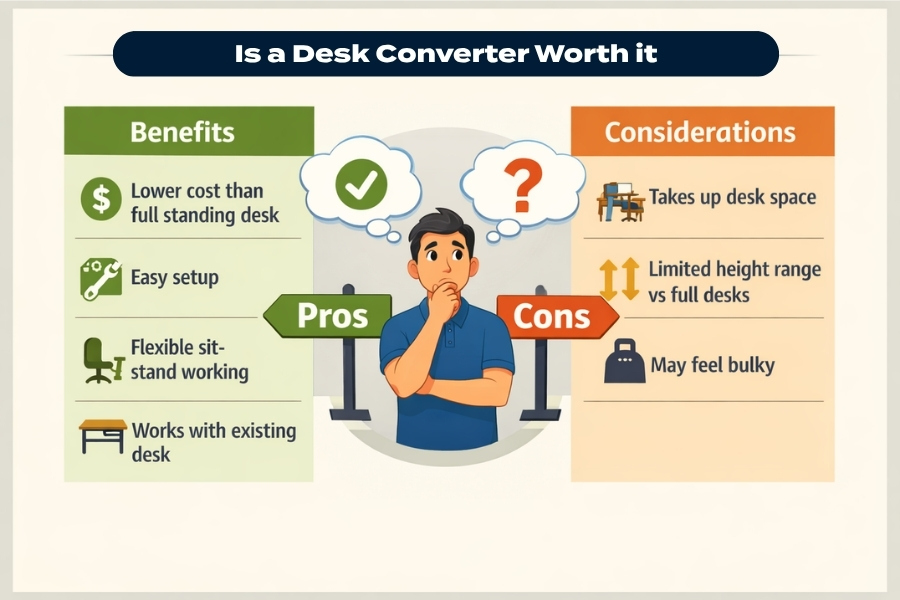
Whether a desk converter is worth it depends largely on your working habits, budget, and personal preferences. For many people, it offers a practical and affordable way to introduce sit-stand flexibility without investing in a full standing desk.
One of the key advantages is cost-effectiveness. Desk converters are generally less expensive than replacing your entire desk, making them an accessible option for improving your workspace.
They also provide immediate usability. With little to no assembly required, you can begin using a desk converter straight away, which is particularly appealing for home offices or temporary setups.
However, they may not be ideal for everyone. Compared to full standing desks, converters can feel slightly bulkier on the desk surface and may offer less customisation in terms of height range and aesthetics.
For those who want a simple, flexible solution to reduce sitting time and improve ergonomics, a desk converter is often a worthwhile investment. The value ultimately lies in how consistently it is used as part of your daily routine.
Final Thoughts on Desk Converters
Desk converters offer a straightforward way to create a more dynamic and adaptable workspace. By allowing you to alternate between sitting and standing, they support better movement habits and can contribute to a more comfortable working day.
Their ease of use, affordability, and minimal setup make them an attractive option for a wide range of users, from office professionals to remote workers. While they may not replace the functionality of a full standing desk in every scenario, they provide a highly practical alternative.
As with any ergonomic solution, the benefits depend on correct setup and consistent use. When chosen carefully and used properly, a desk converter can be a valuable addition to your workspace, helping you work more comfortably and efficiently over time.
Frequently Asked Questions
- What is the difference between a desk converter and a standing desk?
A desk converter sits on top of your existing desk and allows you to switch between sitting and standing, whereas a standing desk replaces your entire desk and is fully height-adjustable. - Are desk converters easy to set up?
Yes, most desk converters require little to no assembly. They are typically ready to use straight out of the box, making them a convenient option for quick workspace upgrades. - Can a desk converter hold multiple monitors?
Many desk converters are designed to support dual monitors, but it is important to check the size and weight capacity to ensure it can handle your specific setup. - How often should I switch between sitting and standing?
A common recommendation is to alternate every 30 to 60 minutes. The goal is to avoid staying in one position for too long rather than standing all day. - Do desk converters improve productivity?
They can help improve focus and energy levels by encouraging movement throughout the day, which may lead to increased productivity for some users. - Are desk converters suitable for small desks?
Yes, there are compact models available specifically designed for smaller workspaces. It is important to measure your desk before purchasing to ensure a good fit. - Do I need an anti-fatigue mat with a desk converter?
While not essential, an anti-fatigue mat can make standing more comfortable, especially during longer periods. - Are electric desk converters better than manual ones?
Electric models offer easier and more precise adjustments, while manual versions are typically more affordable. The best option depends on your budget and preferences. - Can using a desk converter help with back pain?
It may help reduce discomfort by allowing you to change positions regularly, but proper setup and posture are key to seeing benefits. - How long do desk converters typically last?
With good build quality and proper use, a desk converter can last several years. Durability often depends on the materials and mechanism used.