Tint and Track V3
Make on-screen reading more comfortable with Tint and Track V3, combining customisable coloured overlays and reading rulers to support focus, readability and a more personalised digital experience.
£49.99 ex. VAT£59.99 inc. VAT
Additional Information
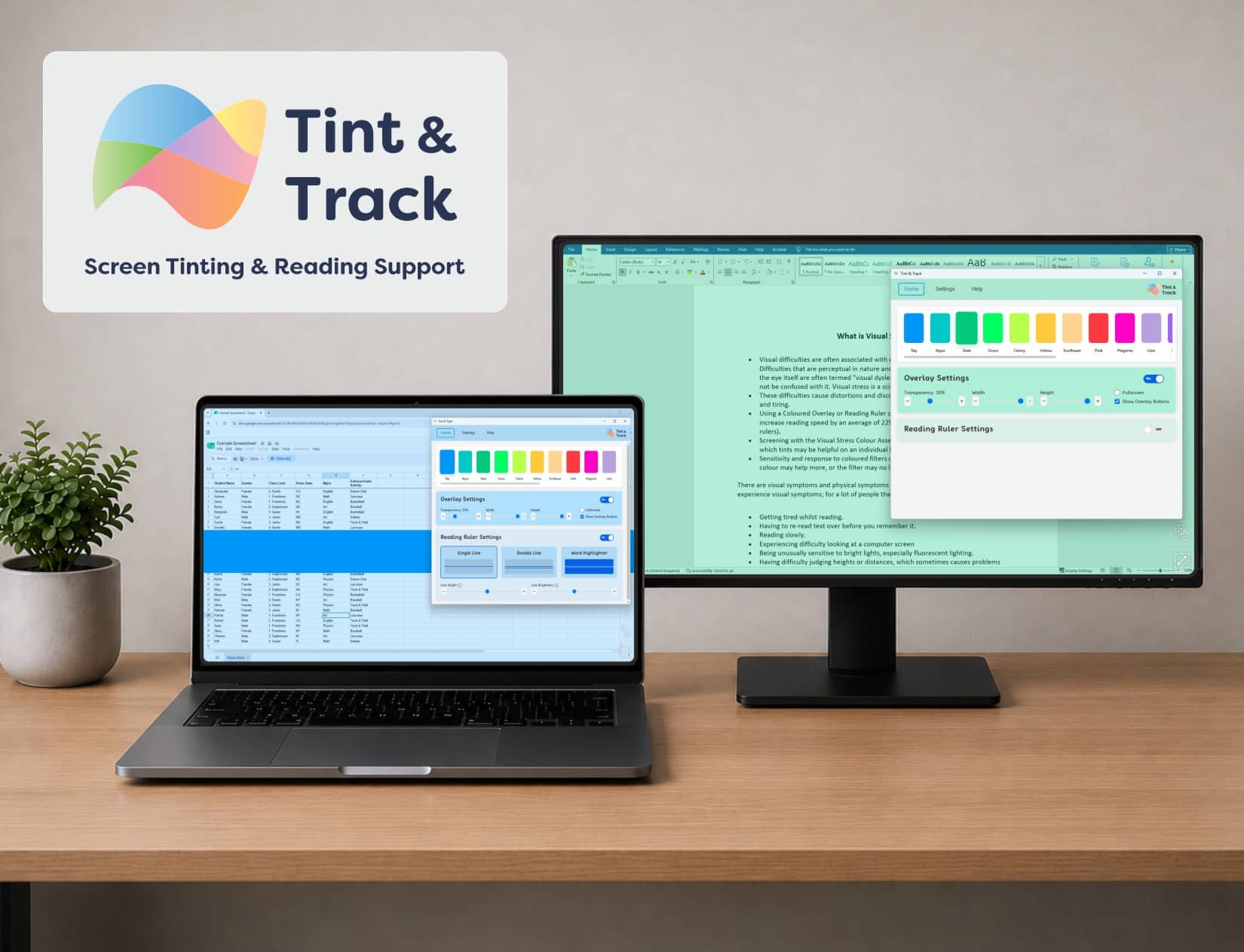
Tint and Track V3 is screen tinting and reading support software designed to make digital content easier and more comfortable to read. With 16 coloured overlays, adjustable reading rulers and personalised settings, it helps reduce visual stress and supports concentration. Suitable for education, work and home, it provides flexible reading support across everyday applications and multiple monitors.
Customisable Screen Tinting and Reading Support
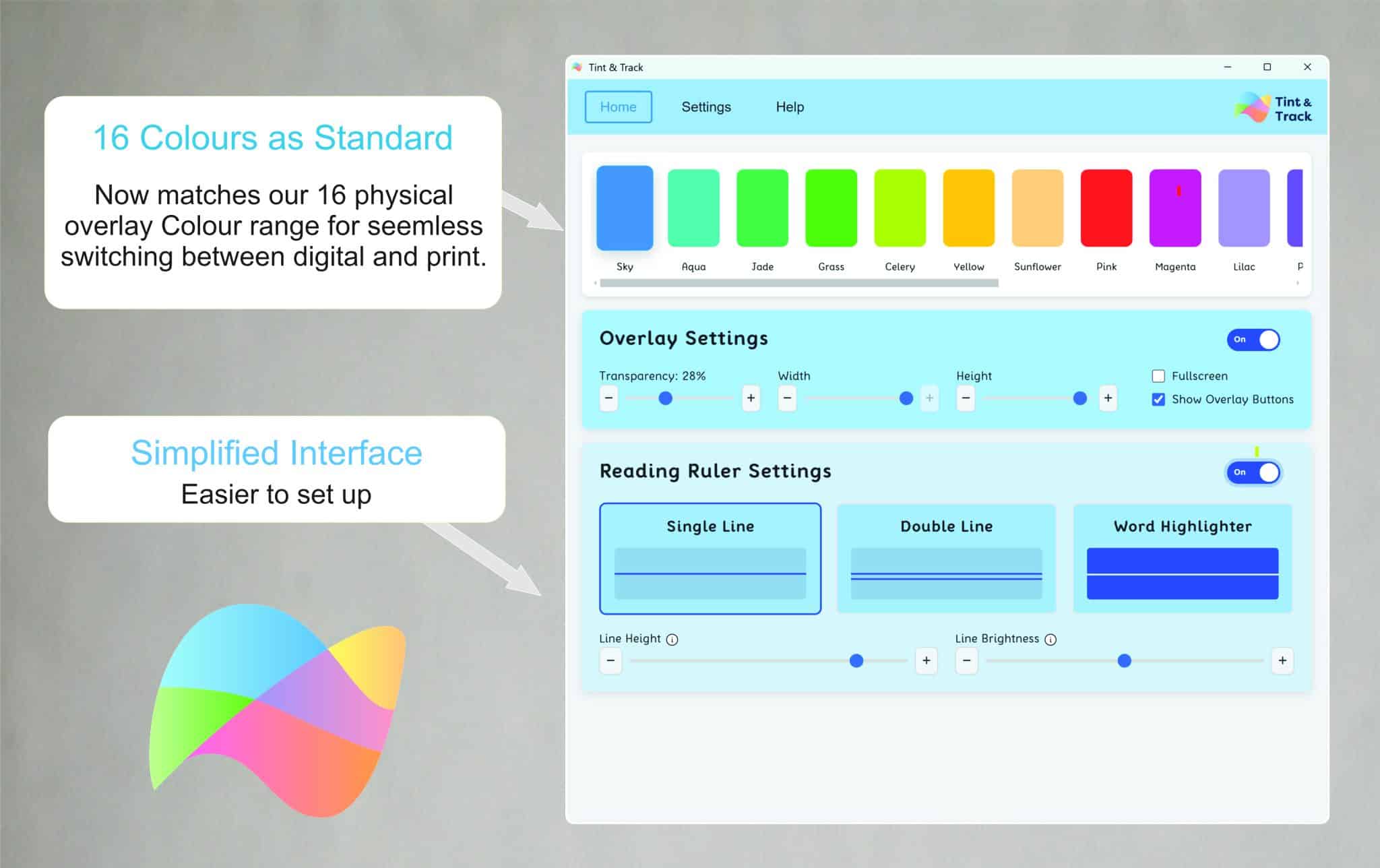
- Choose from 16 Crossbow coloured overlays to personalise your screen and support visual comfort
- Create custom overlay colours and adjust colour depth to suit individual preferences
- Apply coloured tints across the entire screen or selected areas using Overlay Mode
- Customise overlay opacity, size and position to create a comfortable reading environment
- Use adjustable reading rulers and tracking lines to help maintain your place when reading
- Save preferred settings as personalised pre-sets for quick access throughout the day
Technical Specification
- Overlay Colours: 16 standard Crossbow overlay colours, plus custom colour creation
- Overlay Customisation: Colour, opacity, size and position
- Overlay Modes: Overlay Mode and Reading Ruler Mode
- Reading Ruler Features: Customisable tracking-line styles, mouse-following functionality and position lock
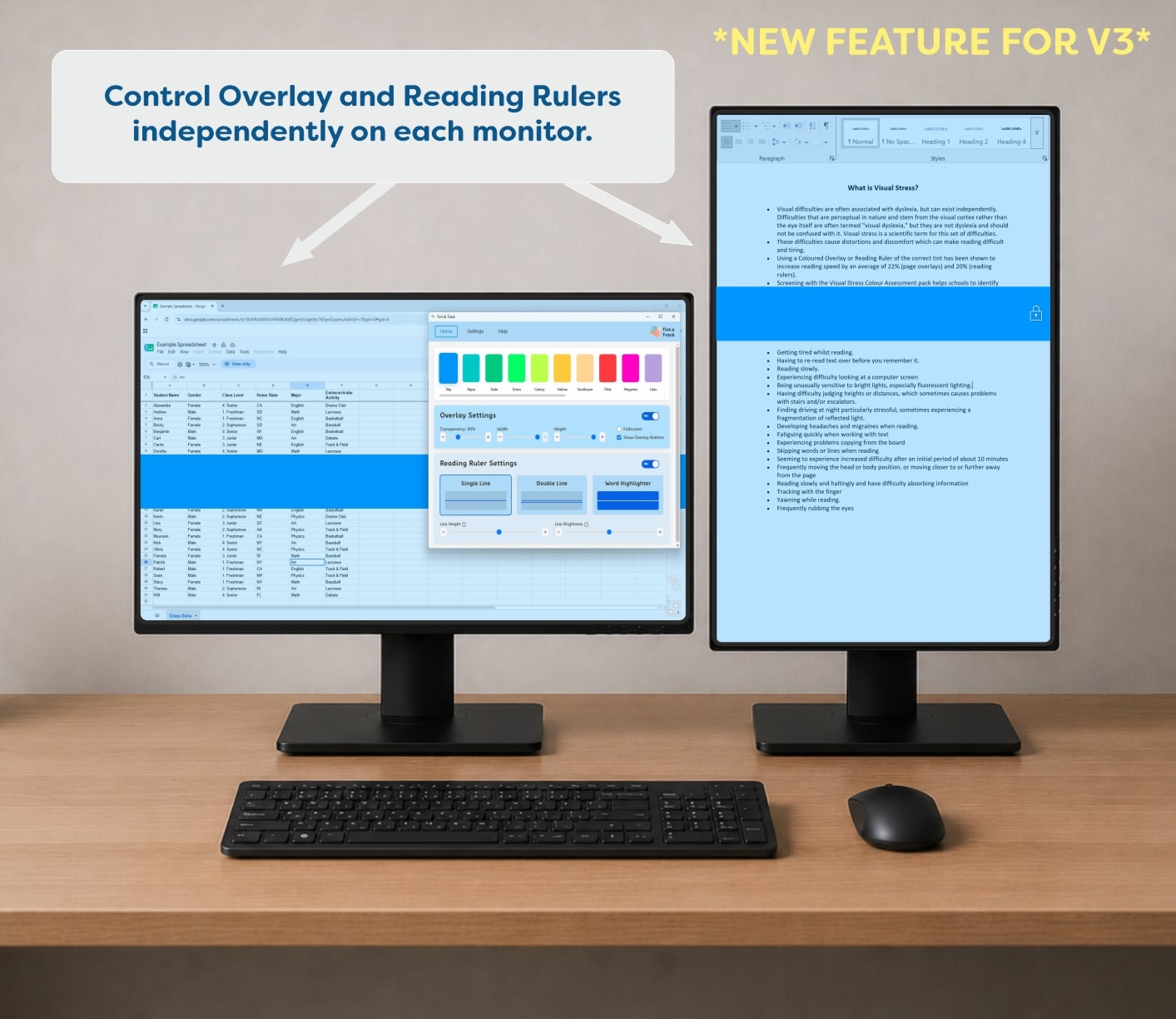
- Multi-Monitor Support: Automatic monitor recognition with independently adjustable overlays and reading rulers
- Application Compatibility: Microsoft Office, web browsers, PDF readers, email applications, learning platforms and business software
- Additional Display Support: Remote desktop sessions, projected displays and multiple-monitor setups
- Interaction: Type and click through active overlays and reading rulers
- Keyboard Shortcuts: Toggle overlays and switch between display modes
Who It Helps
- People experiencing visual stress: Customisable screen colours can help reduce glare and improve reading comfort
- People with dyslexia: Coloured overlays and tracking tools provide additional support when navigating digital text
- People with reading difficulties: Adjustable reading rulers help maintain position across lines of text
- Students and educators: Personalised reading settings support access to digital learning materials
- Employees and professionals: Flexible screen adjustments help create a more comfortable digital working environment
- Home users: Simple personalisation tools support everyday activities, including browsing, emails and reading documents
Multi-Monitor and Application Compatibility
- Automatically detects connected monitors and applies individual overlays to each screen
- Independently adjust overlay size and position across multiple displays
- Control and lock reading rulers separately on each monitor
- Use coloured overlays across virtually any application, including Office software, browsers and PDF readers
- Maintain normal typing and clicking functionality while overlays or reading rulers are active
- Access reading support across remote desktop sessions and projected displays
Simple Controls and Personalised Settings
- Navigate a simplified interface designed to make settings easier to access
- Switch between Overlay Mode and Reading Ruler Mode to suit different reading activities
- Use keyboard shortcuts to activate or deactivate overlays without interrupting work
- Save favourite configurations for quick access to preferred reading settings
- Lock reading rulers in position or allow them to follow the mouse pointer
- Benefit from enhanced security features and improved support for modern installation and deployment
Highlights
- Personalised Screen Comfort Choose from 16 coloured overlays and customisable reading tools to create a screen environment that suits your preferences
- Support for Visual Stress and Reading Difficulties Reduce visual distractions and support more comfortable reading with adjustable screen tints and tracking lines
- Seamless Multi-Monitor Compatibility Work across multiple monitors and everyday applications without interrupting your normal workflow
Keep Your Place with Double-Line Reading Support
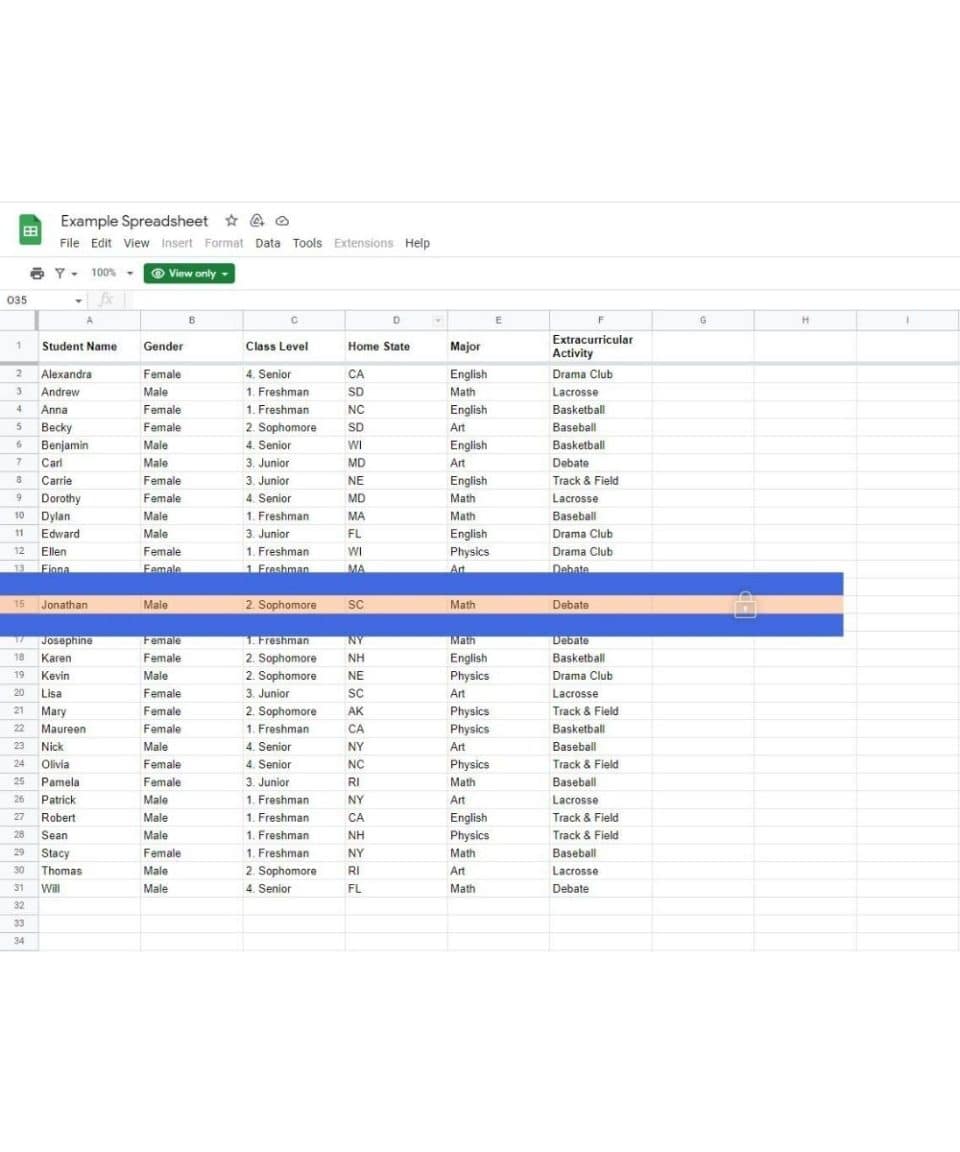
Reading across busy spreadsheets can make it difficult to follow information accurately. Tint and Track V3's double-line reading ruler highlights the selected row with a coloured tint, helping users maintain their position while reducing distractions from surrounding content. This practical feature supports more focused reading, making it easier to navigate tables, review data and work confidently with detailed spreadsheets.
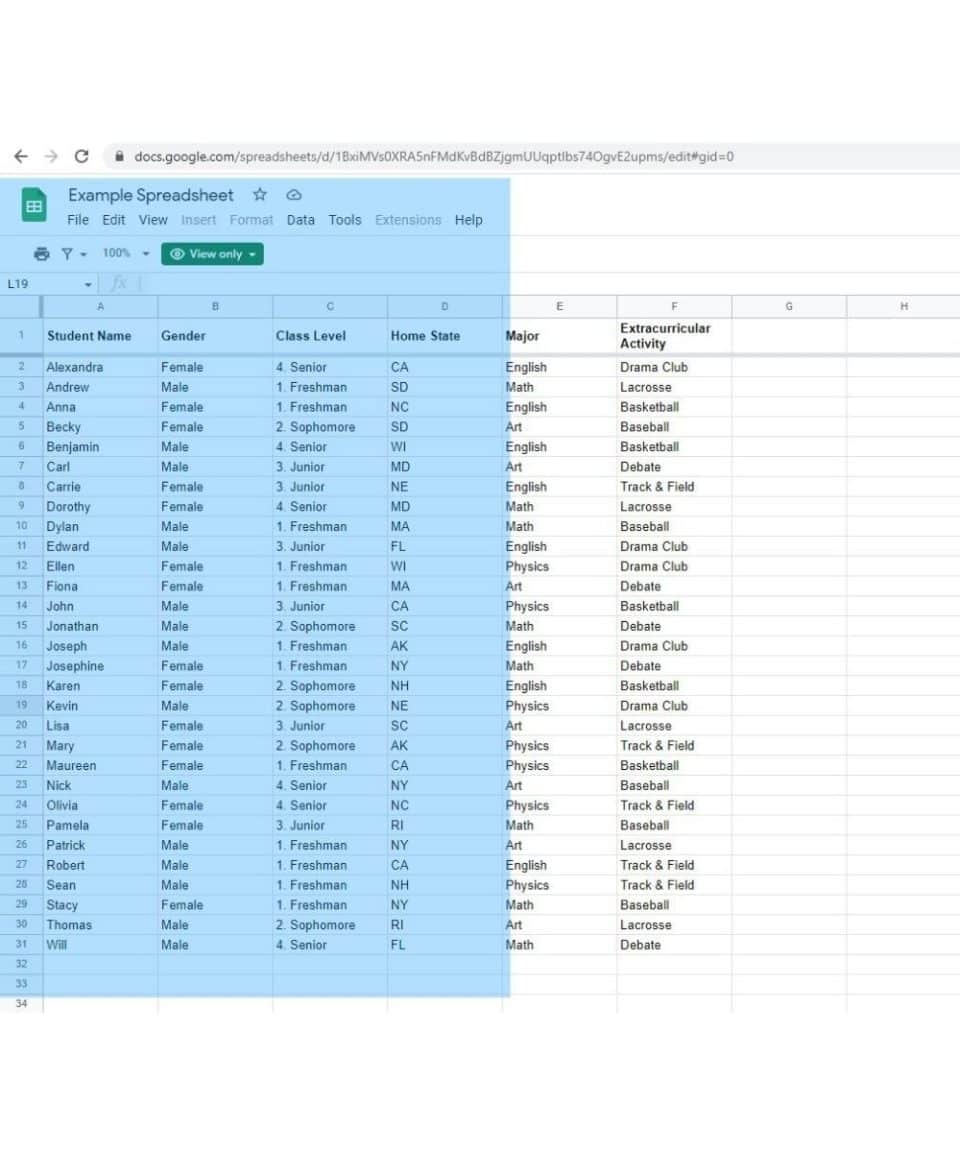
Personalise Screen Colours for More Comfortable Reading
Working with large spreadsheets can feel visually overwhelming, particularly when navigating rows and columns of detailed information. Tint and Track V3's customisable screen overlays allow users to apply a coloured tint to selected areas of their display. By adjusting the overlay colour, size and position, users can create a more comfortable viewing experience that supports concentration and makes everyday digital tasks easier to manage.
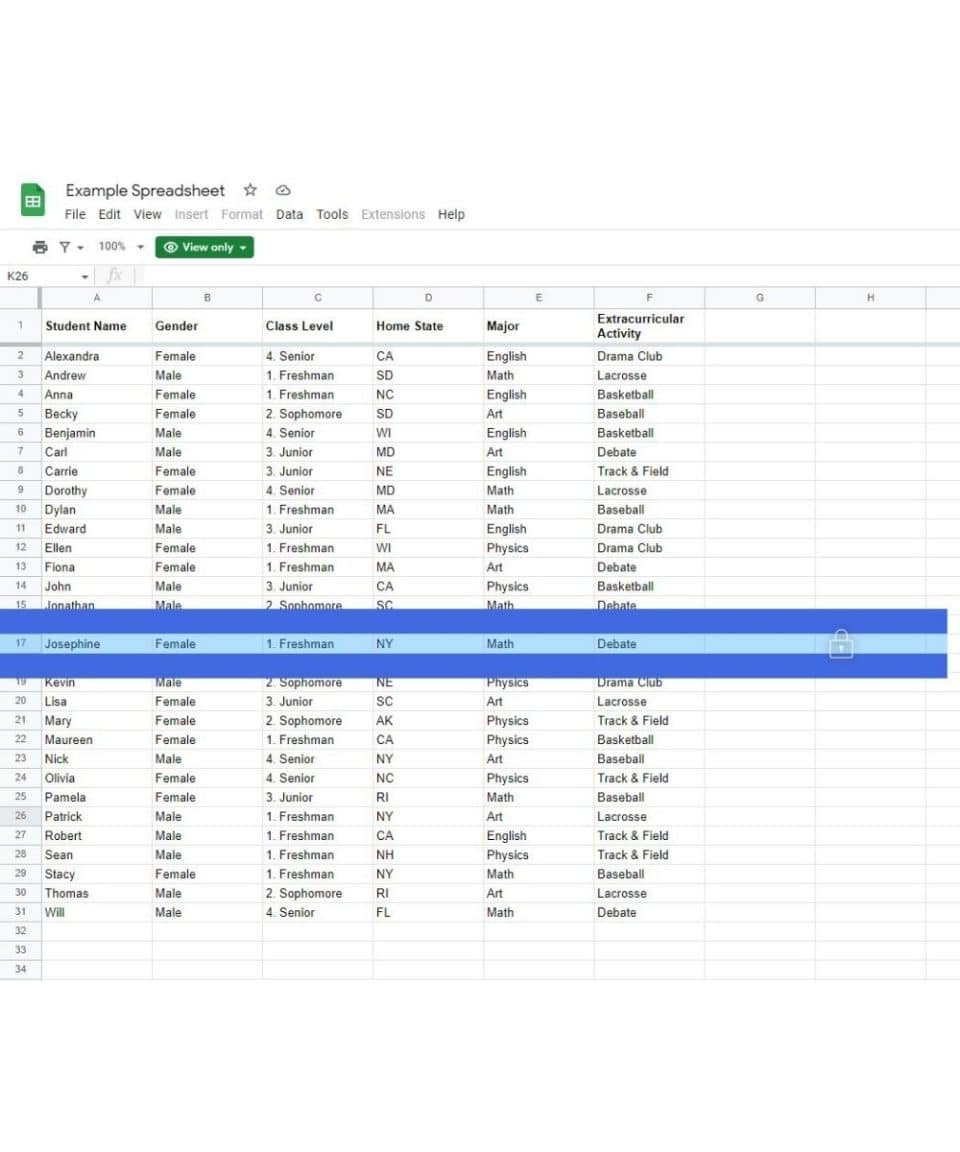
Improve Reading Accuracy with Customisable Tracking Lines
Navigating detailed spreadsheets becomes easier with Tint and Track V3's customisable double-line reading ruler. By highlighting a single row between two bold blue tracking lines, users can follow information more easily while reducing distractions from surrounding content. The adjustable ruler can be locked in position to provide consistent visual guidance, supporting reading accuracy, concentration and greater confidence when reviewing complex data.
Our happy customers
Just finished my last session with Hafsa Aiyub. She is amazing she was so understanding and kind. She explained everything perfectly and in a lovely manner which was helpful because i have ADHD. If i was unsure she would repeat it and ask if i understood it. She made me feel welcomed and comfortable She was always happy to answer any questions i had and we had some giggles throughout the sessions. I will miss her and the sessions. The service was very helpful and I've been using the software in between sessions and it actually helped me on my last assignment so much. Thank you so much Hafsa for helping me o my education journey
Donna at Remtek did both my assessment and set up. She made me feel at ease and I felt my needs were fully assessed and adhered to. At all times compassion and understanding of my disabilities and limitations were acknowledged. I felt in good hands. My ergonomic equipment will definitely assist my learning and ability to progress successfully. Thank you Remtek for your caring support.
As I'm someone who struggles to communicate and take in information, I found Ian to be friendly, patient and reassuring. He checked to make sure I was understanding the information that was being taught and explained things in easy and understandable ways therefore I tended not to have questions. I am very thankful for the help and training I have had with Ian. The training he has given has allowed me to write up my essays far easier than before I had the knowledge I now have regarding the programmes.
I have just had my last session of workplace coaching with John-Michael Farrar. I have found the sessions with John-Michael extremely useful, helping me put practices in place to make everything run so much more smoothly and less stress along the way. It has been really good to chat with John-MIchael over the sessions with someone who understands without any judgement and is always friendly and positive. I can't thank John-Michael enough, it has been life changing for me. I am looking forward to the New Year with a great deal of positivity. Thank you again John-Michael
I had the great pleasure of having my AT training undertaken by James Grayston! What an asset to your company! James delivery of the content was incredibly insightful, and his expertise and enthusiasm made the entire learning experience engaging and effective. I now feel empowered and confident in my new skills and I am now confident that I will complete my course easily!
I had an ergonomic assessment with Donna today. She was incredibly kind, professional, and took the time to listen to my concerns. I really felt like she understood the barriers I face with my studies and was very knowledgeable about the best tools to help me. She made a potentially stressful process feel very easy and supportive. I’m very grateful for the support and appreciate it, thank you Donna.
Jamie was my ergonomic assessor and he was absolutely brilliant, so lovely and helpful, really understanding. Simon came to deliver and install all my equipment and was very friendly, informative, made any changes I asked, and was very helpful and gave great customer service. 10/10 for both of them, great reflections of Remtek
Related products
-

Genio Notes – 3 Year Subscription
Price range: £299.00 through £1,199.00 ex. VAT Price range: £358.80 through £1,438.80 inc. VAT Select options This product has multiple variants. The options may be chosen on the product page Assistive Software -

Caption.Ed
Price range: £600.00 through £3,600.00 ex. VAT Price range: £720.00 through £4,320.00 inc. VAT Select options This product has multiple variants. The options may be chosen on the product page Assistive Software -

Lightkey Medical
£499.00 ex. VAT£598.80 inc. VAT Add to basket Assistive Software -

Dolphin Supernova Single User Licence + 1 year SMA
£570.00 ex. VAT£684.00 inc. VAT Add to basket Assistive Software