
Mindmeister
The MindMeister Mind Mapping Tool transforms ideas into structured, visual mind maps, making brainstorming, planning, and collaboration easier than ever—ideal for students, professionals, and creative thinkers.
Price range: £105.00 through £175.00 ex. VAT Price range: £126.00 through £210.00 inc. VAT
Additional Information
The MindMeister online mind mapping tool helps users capture, organise, and share ideas effortlessly.
Whether you’re brainstorming solo, working in a team, or presenting complex concepts, MindMeister provides intuitive, visual organisation with powerful collaboration features.
With customisable themes, real-time teamwork, and seamless integrations, it’s designed to boost creativity, productivity, and clarity in planning and project management.
Technical specifications
- Platform: Web-based, iOS, Android
- Collaboration: Real-time multi-user mind mapping
- Customisation: Themed templates, adjustable layouts, and colour schemes
- Export Formats: PDF, Microsoft Word, PowerPoint, and more
- Security: EU-GDPR compliant, Trusted Cloud certified
- Integration: Google Workspace, MS Teams, MeisterTask
Key benefits
- Visual Idea Structuring: Transform complex thoughts into structured mind maps
- Seamless Team Collaboration: Work remotely with real-time updates and shared access
- Presentation Mode: Convert maps into engaging, professional slideshows
Who It Helps
- Students & Educators – Enhances learning, revision, and project planning
- Business Teams & Leaders – Supports strategy development, project management, and brainstorming
- Neurodivergent Thinkers – Offers a visual, structured way to organise thoughts and ideas
Mind Mapping & Functionality Features
- Infinite Canvas: Expand ideas without limits
- Theme & Layout Customisation: Adjust styles for clarity and visual appeal
- Task Integration: Convert mind map ideas into actionable tasks via MeisterTask
- Embedded Media & Notes: Enhance mind maps with attachments, comments, and links
Highlights
- Turn Ideas into Action Visualise and structure thoughts to improve clarity and efficiency
- Real-Time Team Collaboration Collaborate remotely in real-time to brainstorm and refine ideas
- Customisable & Export-Ready Export and share mind maps in multiple formats for presentations and reports
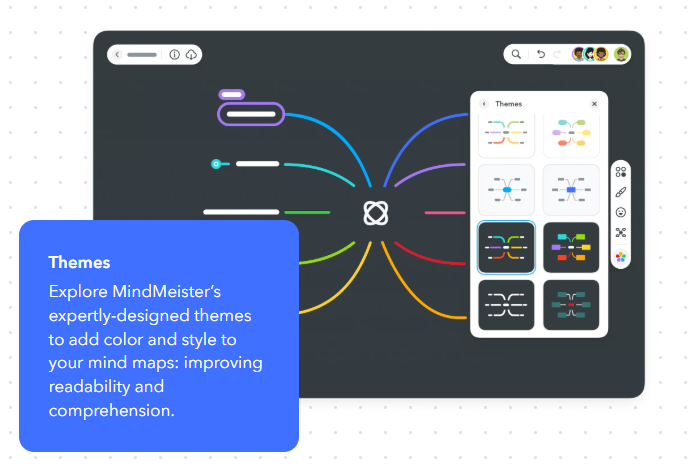
Designed for Brainstorming & Idea Development
MindMeister provides an intuitive way to generate, refine, and organise ideas, making it an ideal tool for problem-solving, strategic planning, and creative projects.
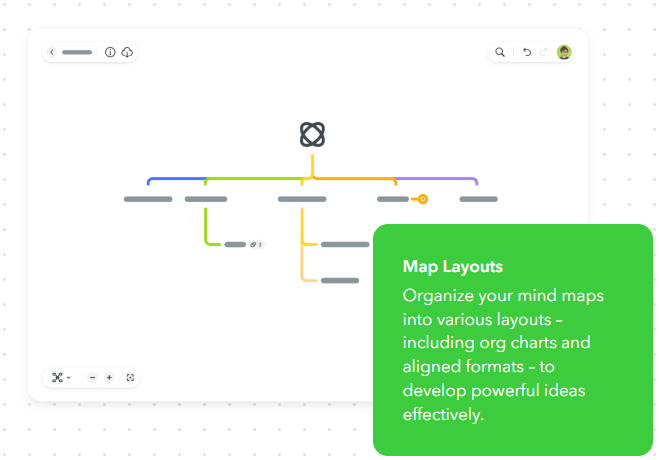
Enhancing Learning & Productivity
With colour-coded branches, expandable notes, and layout options, users can organise study materials, manage projects, and streamline workflows.
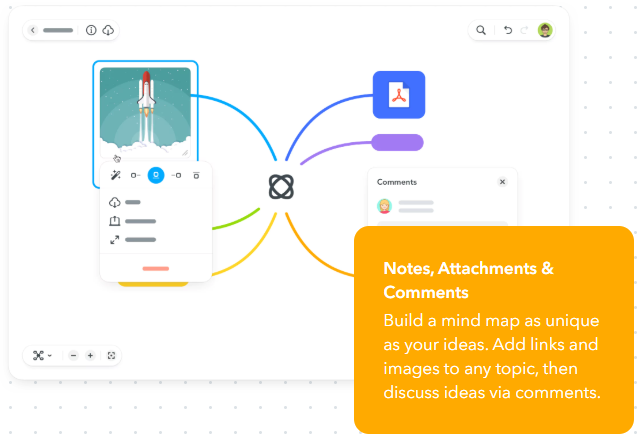
Collaborate & Share Ideas in Real Time
Teams can edit, comment, and collaborate simultaneously, ensuring that projects progress smoothly, no matter where members are located.
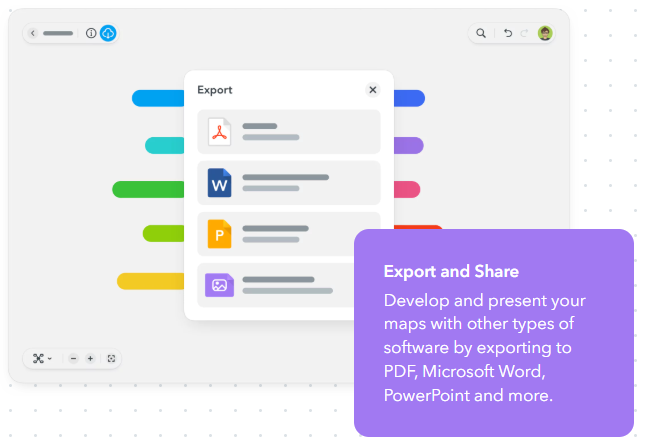
Seamless Integration for Work & Study
Sync MindMeister with Google Workspace, MS Teams, and MeisterTask, allowing ideas to flow directly into actionable plans.

Secure & Accessible Anywhere
MindMeister is cloud-based and GDPR-compliant, ensuring secure access from any device, anywhere in the world.
Our happy customers
Just finished my last session with Hafsa Aiyub. She is amazing she was so understanding and kind. She explained everything perfectly and in a lovely manner which was helpful because i have ADHD. If i was unsure she would repeat it and ask if i understood it. She made me feel welcomed and comfortable She was always happy to answer any questions i had and we had some giggles throughout the sessions. I will miss her and the sessions. The service was very helpful and I've been using the software in between sessions and it actually helped me on my last assignment so much. Thank you so much Hafsa for helping me o my education journey
Donna at Remtek did both my assessment and set up. She made me feel at ease and I felt my needs were fully assessed and adhered to. At all times compassion and understanding of my disabilities and limitations were acknowledged. I felt in good hands. My ergonomic equipment will definitely assist my learning and ability to progress successfully. Thank you Remtek for your caring support.
As I'm someone who struggles to communicate and take in information, I found Ian to be friendly, patient and reassuring. He checked to make sure I was understanding the information that was being taught and explained things in easy and understandable ways therefore I tended not to have questions. I am very thankful for the help and training I have had with Ian. The training he has given has allowed me to write up my essays far easier than before I had the knowledge I now have regarding the programmes.
I have just had my last session of workplace coaching with John-Michael Farrar. I have found the sessions with John-Michael extremely useful, helping me put practices in place to make everything run so much more smoothly and less stress along the way. It has been really good to chat with John-MIchael over the sessions with someone who understands without any judgement and is always friendly and positive. I can't thank John-Michael enough, it has been life changing for me. I am looking forward to the New Year with a great deal of positivity. Thank you again John-Michael
I had the great pleasure of having my AT training undertaken by James Grayston! What an asset to your company! James delivery of the content was incredibly insightful, and his expertise and enthusiasm made the entire learning experience engaging and effective. I now feel empowered and confident in my new skills and I am now confident that I will complete my course easily!
I had an ergonomic assessment with Donna today. She was incredibly kind, professional, and took the time to listen to my concerns. I really felt like she understood the barriers I face with my studies and was very knowledgeable about the best tools to help me. She made a potentially stressful process feel very easy and supportive. I’m very grateful for the support and appreciate it, thank you Donna.
Jamie was my ergonomic assessor and he was absolutely brilliant, so lovely and helpful, really understanding. Simon came to deliver and install all my equipment and was very friendly, informative, made any changes I asked, and was very helpful and gave great customer service. 10/10 for both of them, great reflections of Remtek
Related products
-

Inspiration 11 mind mapping software
£93.00 ex. VAT£111.60 inc. VAT Add to basket Assistive Software -

Lightkey Medical
£499.00 ex. VAT£598.80 inc. VAT Add to basket Assistive Software -

Caption.Ed
Price range: £600.00 through £3,600.00 ex. VAT Price range: £720.00 through £4,320.00 inc. VAT Select options This product has multiple variants. The options may be chosen on the product page Assistive Software -

TextAid (Workplace) Individual
£279.00 ex. VAT£334.80 inc. VAT Add to basket Assistive Software